
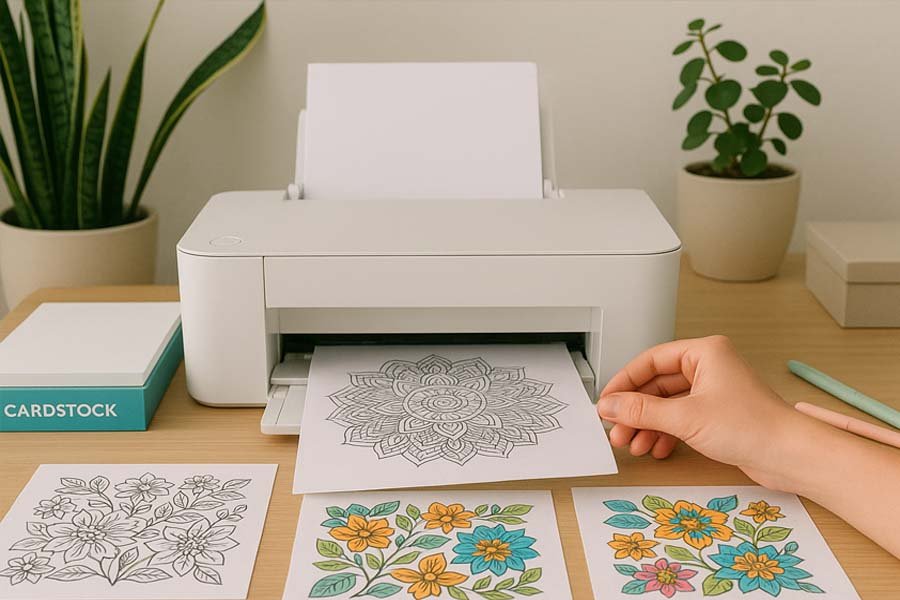
How to Print Your Colouring Pages Perfectly at Home
Few things dampen the colouring experience more quickly than streaky lines or misaligned margins. The good news is that you don’t need to rely on a professional print shop to achieve crisp, vibrant pages—just a little knowledge and a willingness to adjust a few settings. This guide will take you step by step through paper selection, printer adjustments, and colour management so that every sheet comes out looking polished and ready for your pencils, crayons, or markers.
1. Choose the Right Materials
Before opening the print dialogue box, ensure your essentials are sorted. Inkjet printers typically offer richer colour depth and smoother blends, whereas laser printers are ideal for producing clean, sharp outlines on standard paper. If you plan to use alcohol-based markers, opt for an inkjet model with pigment inks, as these are less likely to smear. When it comes to paper, uncoated cardstock of 120–160 gsm provides enough thickness to prevent bleed-through without jamming most home machines. If you enjoy working with pencils, keep a supply of high-quality matte photo paper—the slight texture helps grip pigment beautifully.
Quick reference:
-
Printer: Inkjet for colour; laser for detailed line art.
-
Ink: Pigment-based for markers; dye-based for pencils and crayons.
-
Paper: 120–160 gsm for one-sided work; 200 gsm if you intend to display the finished piece.
2. Calibrate Your Screen and Printer
Have you ever printed a bright turquoise only for it to appear dull and greenish? This is usually caused by a mismatch in colour profiles. To correct it, run your computer’s colour calibration tool and apply your printer’s ICC profile. If possible, select the “photo” or “best” setting in the print driver—this slows down the print head and lays down more ink, resulting in richer tones. It’s also wise to run a nozzle check and alignment test via the printer’s maintenance menu to prevent faint horizontal bands.
3. Adjust Print Settings Carefully
When you reach the print dialogue, pay attention to these options:
-
Paper type: Match the setting to your actual paper—plain, matte photo, presentation, or heavy cardstock.
-
Quality: Always select “high” or “best” for final pages. Draft mode may save ink but compromises the finish.
-
Borderless printing: For edge-to-edge artwork, activate this option. Be aware that most printers enlarge the image slightly (by 3–5 %), so reduce the document size beforehand if precision is important.
-
Scale: Use “Actual Size” for designs formatted to the page; “Fit to Printable Area” if avoiding cropped edges matters more.
-
Orientation: Double-check portrait versus landscape—an easy mistake that can waste expensive paper.
4. Run a Test Print
An important tip on How to Print Your Colouring Pages Perfectly; Before using expensive premium stock, print a smaller or greyscale version on ordinary copier paper. Watch for:
-
Blurry lines (printer resolution set too low)
-
Faded colours (incorrect paper setting or low ink)
-
Cropped designs (incorrect scaling option)
Minor issues can usually be corrected by adjusting settings. For major problems, clean the print heads, update drivers, or replace ink cartridges.
5. Manage Ink Bleed and Smudging
If you notice feathering (where ink spreads along the fibres of the paper), switch to a smoother stock or reduce ink density in the advanced settings (sometimes labelled “ink volume” or “colour intensity”). When printing for alcohol markers, allow at least 24 hours for the ink to cure. Place a sheet of scrap paper beneath the page to absorb any seepage.
6. Printing on Special Papers
For a watercolour effect, choose 200–240 gsm cold-press watercolour paper and feed it manually through the rear tray of an inkjet printer. Select “fine art paper” in the settings. For translucent vellum, use the “transparency” mode and allow additional drying time to prevent smudging.
7. Double-Sided Prints Without Show-Through
If you need to print on both sides, start with the side that has lighter backgrounds, then move on to the more saturated design. Allow the first side to dry completely (ideally overnight) before printing the reverse. Use paper of at least 160 gsm to minimise ghosting.
8. Saving Money Without Sacrificing Results
-
Bulk ink refills: Third-party cartridges can be more economical but vary in quality—stick to trusted brands with pigment-based formulations.
-
Batch printing: Each time a printer powers up, it uses ink for cleaning. Printing several pages in one session reduces waste.
-
Check previews carefully: Zoom into your print preview at 100 % to spot mistakes before committing to paper.
9. Troubleshooting Common Problems
-
Horizontal banding: Run a nozzle check, clean the print heads, and ensure you’re on “high quality” mode.
-
Paper jams: Fan the paper to reduce static, load smaller stacks, and use the rear feed for heavier stock.
-
Colour shifts: Replace near-empty cartridges together, as uneven levels can dull tones when the printer tries to compensate.
10. Protect and Store Your Prints
Freshly printed pages are easily marked by smudges and fingerprints. Handle them by the edges and store them flat in an archival-quality folder until you’re ready to colour. If you’re on the move, slide pages into plastic sleeves within a binder to keep them neat.
Final Thoughts
Achieving professional-looking prints at home is largely a matter of preparation and patience. By carefully pairing your printer settings with the right paper, you’ll avoid wasted ink and frustration. Once you’ve found the settings that suit your equipment, note them down and keep them handy. Then, the only thing left to do is enjoy the creative part—bringing your beautifully printed pages to life with your favourite colouring tools.
Thank you for reading our Post on How to Print Your Colouring Pages Perfectly
Please Click Here to Return To HOME PAGE
Other Childrens Websites you might enjoy …




0 Comments